
OUR FLAGSHIP PRODUCT

Connecting people, strengthening church administration.

PATAMA CMS is a church management system developed by Patama Systems Ltd to help churches manage their people, activities, finances and administration through one connected digital workspace.

Official PATAMA CMS product logo
A PRODUCT OF PATAMA SYSTEMS

One connected
church workspace.

01 / PEOPLE

Members & Households
Visitors & Follow-up

02 / CHURCH LIFE

Attendance & Children
Groups & Ministries

03 / ADMINISTRATION

Church Finance
Users & Permissions

Connected records. Coordinated work. Leadership insight.
INSIDE PATAMA CMS

See the connected workspace.

Actual TEST application views using demonstration data. Figures shown are sample records, not customer results.

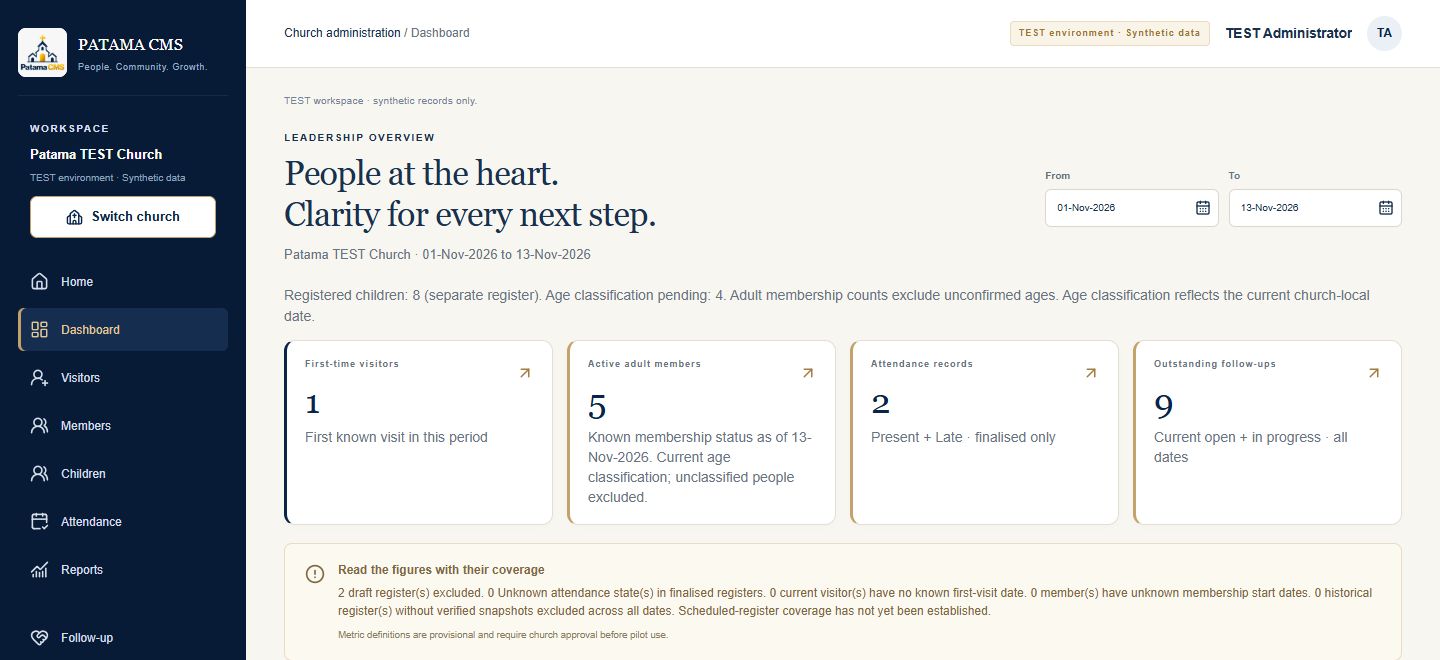
PATAMA CMS TEST dashboard with period filters and summaries for visitors, members, attendance and follow-up
A clearer view of church operations. Review people, participation and outstanding follow-up in one dashboard. View full-size image →
Explore Attendance

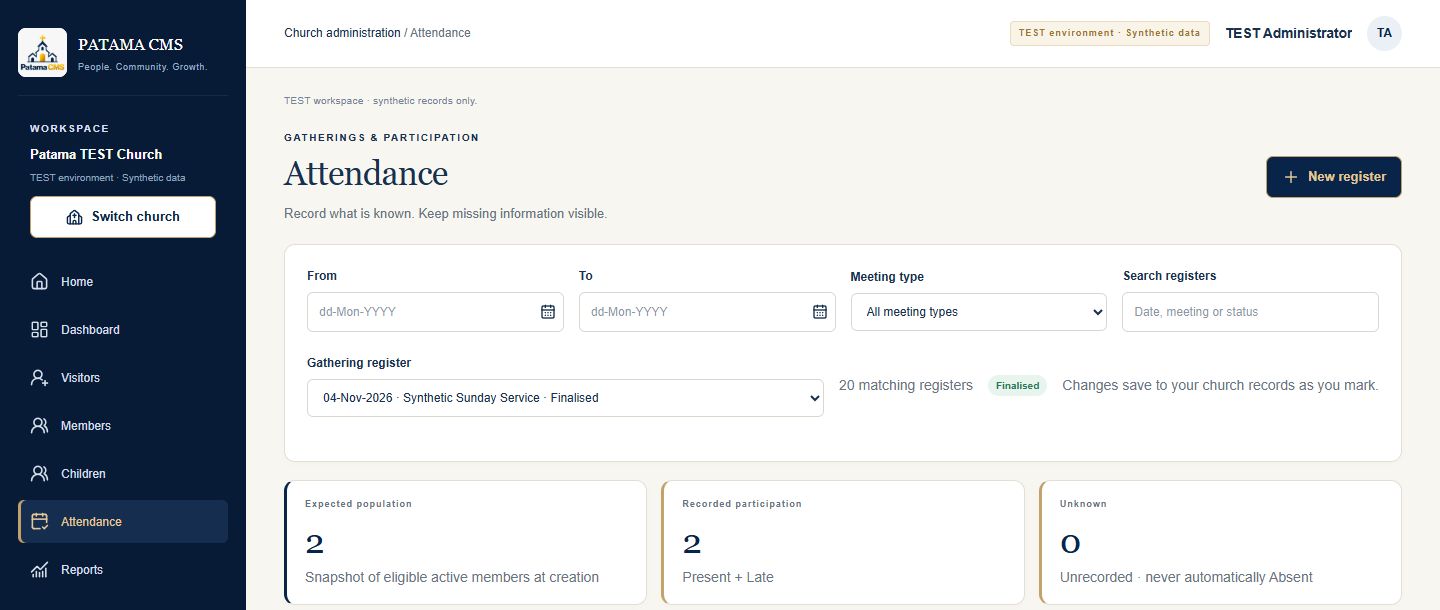
Filter gathering registers and distinguish recorded participation from unknown attendance.

PATAMA CMS TEST attendance filters and summary showing expected population, recorded participation and unknown statesView full-size image →
Explore Church Finance

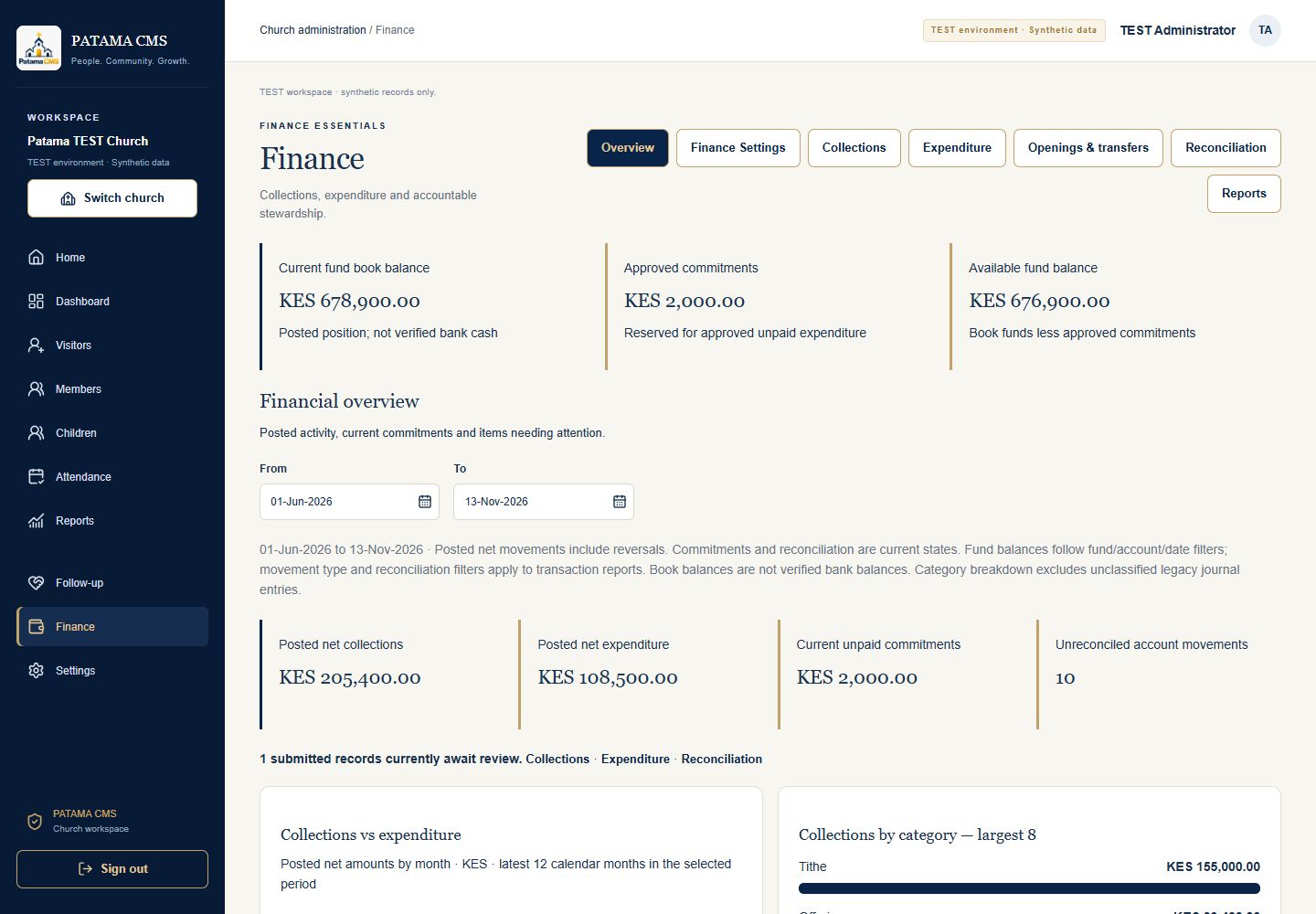
Review posted collections, expenditure, commitments and fund book balances together.

PATAMA CMS TEST finance overview with sample book balances, commitments and posted financial activityView full-size image →
THE WORK BEHIND CHURCH LIFE

More connected administration. More continuity of care.

From a visitor’s first engagement to membership, ministry participation and pastoral follow-up, related information belongs in a continuing journey.

People, activities and administration in one workspace.

PATAMA CMS connects essential church operations—from visitor engagement and family records to attendance, groups, financial management and reporting. Teams can maintain the records and responsibilities behind church life with a clearer view of how they relate.

Implementation begins with your church’s structures and priorities. Scope and readiness are agreed for your context as the product continues to improve.

CONNECTED CAPABILITIES

A system for the whole operational picture.

Explore the working areas of PATAMA CMS and how they support church administration.

01

Know and care for your people.

Keep personal records in the context of relationships and a continuing membership journey.

Members & Households
Bring membership records, family relationships, household information and membership journeys together.
Visitors & Follow-up
Keep visitor registration, visit history, pastoral follow-up and membership transitions connected.
02

Connect participation with church life.

Bring gatherings, children’s ministry and follow-up into the everyday work of your teams.

Children’s Ministry
Maintain children’s records, family relationships, age groups and attendance in the context of church life.
Attendance
Record church gatherings and participation, review attendance history and coordinate absence follow-up.
03

Coordinate ministries and resources.

Give church activities and financial administration a connected operational foundation.

Groups & Ministries
Organize groups, departments, ministries, Home Cells and appointments while retaining historical records.
Church Finance
Connect collections, expenditure, approval controls and financial reporting.
04

Give responsibility a clear structure.

Support controlled access, accountable processes and information that leaders can review.

Users, Roles & Security
Manage users, role-based permissions, controlled approvals and auditability.
Reporting & Leadership Insight
Bring connected information into view to support church administration and informed leadership decisions.
MULTI-CHURCH ACCESS

Multiple workspaces. Independent church records.

For authorized users working across a church network, district or denomination.

Access follows responsibility.

Authorized users can access multiple church workspaces while each church maintains independent records and permissions. Access is controlled for each workspace, preserving the distinction between the churches a user serves.

Discuss Your Church’s Needs
IMPLEMENTATION STARTS WITH UNDERSTANDING

Designed around your church’s needs.

Your structures, processes and priorities guide an appropriate implementation scope.

01

Understand your church

Discuss your people, ministries, administrative routines and priorities.

02

Agree the scope

Identify the relevant workflows, responsibilities and implementation requirements.

03

Plan the next step

Agree a practical path forward, including readiness and the support your team needs.

LET’S TALK ABOUT THE WORK

What would make your everyday work better?

Start with the problem, not a predetermined technology. We would like to understand your needs and explore whether there is a useful fit.

Start a conversation